Laptop Charging Port (DC Jack) Repair in Bahía Blanca
Replacement of board-soldered or cable-harness DC-in power jacks for multi-brand laptops
At CM Informática in Bahía Blanca, a Lenovo Authorized Service Center (CAS) with an in-house microelectronics lab since 1995 , we replace DC Jack power connectors damaged by cable pulls, drops while plugged in, or mechanical wear, restoring both solid mechanical anchoring and electrical continuity to the motherboard.
- Two mounting architectures: We service both modular cable-harness DC-in jacks and connectors soldered directly to the motherboard using desoldering and microsoldering stations.
- Adapter & downstream line verification: We also test the charger plug (including the center ID sense pin on Dell and HP adapters) to rule out external cord damage before servicing; if the jack is intact but downstream electronics fail, we extend diagnostics to our charging circuit repair service.
- Intake terms: Laptops enter at Misiones 730 without a committed turnaround deadline, subject to chassis mount inspection and exact replacement jack availability.
DIAGNOSTICS, ESTIMATE & WARRANTY
We inspect your laptop in our lab to pinpoint the fault and provide an estimate before proceeding. Bench diagnostics carry a professional fee, which is waived when the repair is approved and completed . The completed repair includes a 3-month warranty .
Common DC-in charging port issues
▪ Loose, pushed-in, or intermittent jack when moving the cord
When the laptop charges only if the cable is held at a specific angle or the connector has been pushed inside the chassis, we replace the damaged DC Jack and restore its mechanical mounting according to the model.
▪ Broken center pin or cracked plastic insulator
A snapped internal pin causes power loss or short-circuit risk when inserting the adapter. We perform a full connector replacement using a new compatible part.
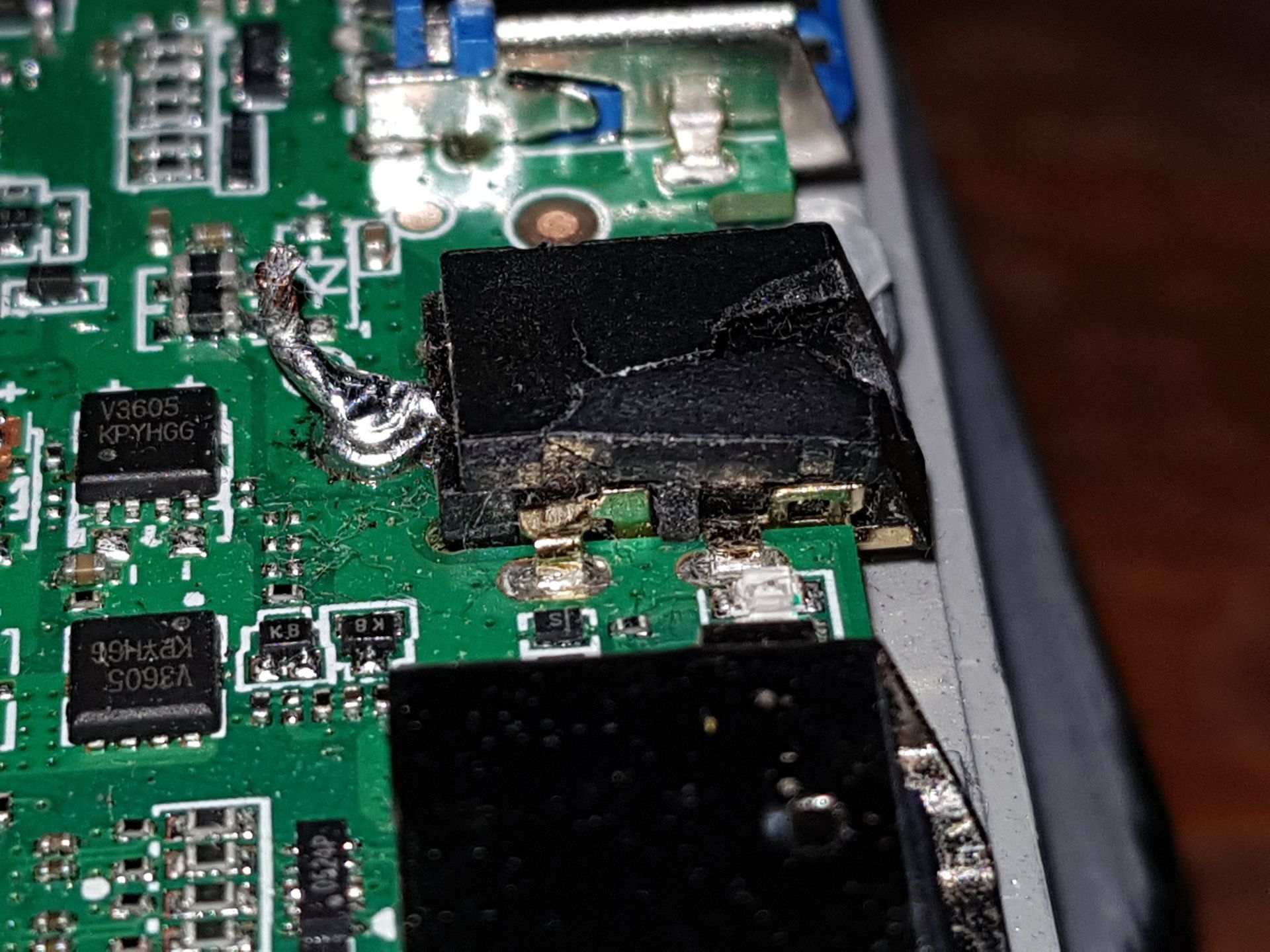
▪ Cracked solder joints or lifted pads on board-mounted jacks
On models where the DC Jack is soldered directly onto the motherboard, we desolder the faulty connector, clean the plated through-holes, and mount the new part via board-level microsoldering .
▪ Connector overheating from high-resistance contact
Particularly on high-draw laptops, a corroded or loose contact can generate excessive heat at the power inlet and requires jack replacement before damaging the motherboard.
Connector types & brands we service
- Lenovo (Official CAS & out-of-warranty): Rectangular Slim Tip connector (ThinkPad, Legion, IdeaPad Gaming) and 4.0x1.7 mm barrel jacks on IdeaPad and V-Series models.
- Multi-brand laptops: HP (4.5x3.0 mm blue-tip with center pin and 7.4x5.0 mm), Dell (7.4x5.0 mm and 4.5x3.0 mm with PS_ID sense pin), Asus (TUF, ROG, VivoBook), Acer (Aspire, Nitro), MSI, Banghó, and EXO.
Related services
Laptop Not Charging in Bahía Blanca